
FluentPlayer vs HTML5 Video Player: A Perspective on Where Native Video in WordPress Is Heading
Most WordPress video player comparisons focus on feature checklists. This one won’t.
FluentPlayer hasn’t launched yet. Comparing checkboxes against an established plugin would be premature and unfair. But philosophy? That’s already clear.
Here’s the simplest way to understand the difference:
HTML5 Video Player answers: “How do I make the video behave exactly the way I need it to?”
FluentPlayer answers: “What should happen while someone is watching?”
One is about playback. The other is about outcomes. Neither is wrong. They’re solving different problems.
Let me show you what I mean.
TL;DR
- FluentPlayer’s free plan includes chapters, speed control, and inline iOS playback, features HTML5 Video Player locks behind its $47.88-a-year Pro plan
- HTML5 Video Player’s free plan covers responsive playback, format support, and shortcodes, with nearly everything else gated to Pro
- FluentPlayer connects natively to FluentCRM and Fluent Forms, so leads captured in the video reach your CRM without a third-party connector
- HTML5 Video Player has no analytics feature listed in its own published comparison table, while FluentPlayer’s Pro plan adds a full analytics dashboard
- Pick FluentPlayer for CRM-connected, lead-generating video, pick HTML5 Video Player’s Pro tier for a lightweight, low-cost embed with broad format support
Overview of FluentPlayer vs HTML5 Video Player
Before we jump into the full comparison, let’s see how much FluentPlayer is offering compared to the existing player:
| Feature | FluentPlayer | HTML5 Video Player |
|---|---|---|
| Autoplay, loop, mute | Free | Free |
| Password protection | Not offered | Pro |
| Chapters | Free | Pro |
| Sticky player | Not offered | Pro |
| Speed control | Free | Pro |
| Watermark | Not offered | Pro |
| Inline iOS playback | Free | Pro |
| Subtitles | Pro | Pro |
| Preload / load strategy | Free | Pro |
| CTA banner, hotspot, ad layer | Pro | Not offered (VAST ad tag only, Pro) |
| Picture-in-picture | Free | Not offered |
| Remember playback position | Pro | Not offered |
| Email capture, form layer in-player | Free | Not offered |
| Timed content block | Pro | Not offered |
| Native FluentCRM integration | Free | Not offered |
| CRM-conditional layer visibility | Pro | Not offered |
| Video analytics dashboard | Pro | Not listed in vendor’s own comparison |
| Timestamp links | Free | Not offered |
| Pro pricing | See FluentPlayer pricing page | $47.88/year |
What HTML5 Video Player does well
HTML5 Video Player is built for playback reliability.
The free plan supports MP4, WebM, OGG, and FLV formats, plus YouTube and Vimeo embeds, with autoplay, loop, and mute controls. Responsive design and cross-browser support come standard.
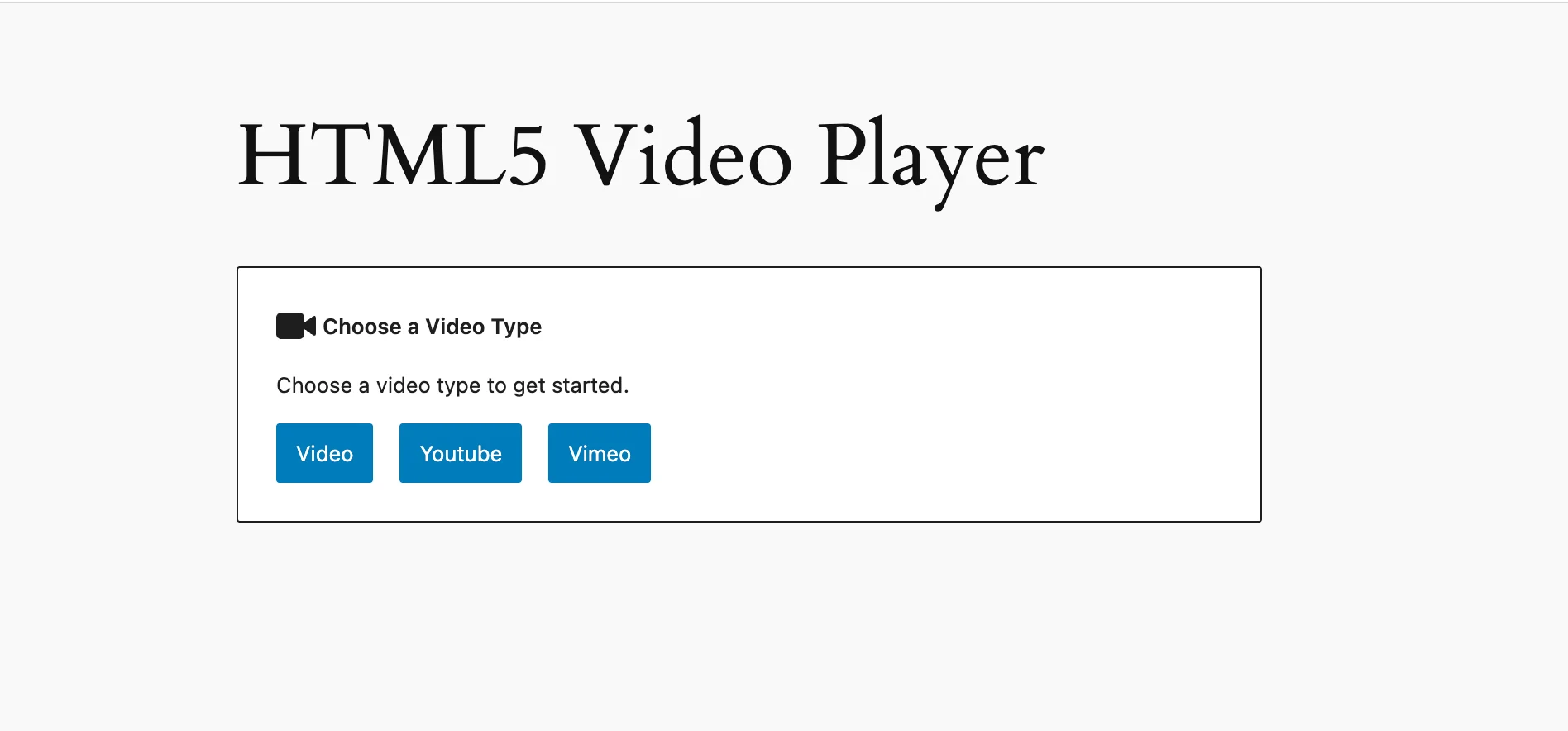
Chapters, speed control, watermarks, sticky-on-scroll behavior, and true inline iOS playback all require the $47.88-a-year Pro plan. So do password protection, subtitle support, and preload options. The free plan is a lightweight embed tool, not a full-featured player.
Analytics focus on the basics – view counts, watch time, completion rates. Clean and straightforward.
If a low-cost, format-flexible embed is the priority, and Pro-tier playback controls justify $47.88 a year, HTML5 Video Player covers this ground. It’s built for playback, not for turning video into a business channel.
What FluentPlayer is built for
FluentPlayer is built with a forward-looking mindset. Its design choices show exactly what kind of problems it solves.
WordPress has sophisticated analytics for forms, emails, and pages. Video, on most sites, still gets treated like a file attachment. Upload it, embed it, hope someone watches. No connection between the video and any business outcome.
FluentPlayer closes this gap.
Native WordPress architecture
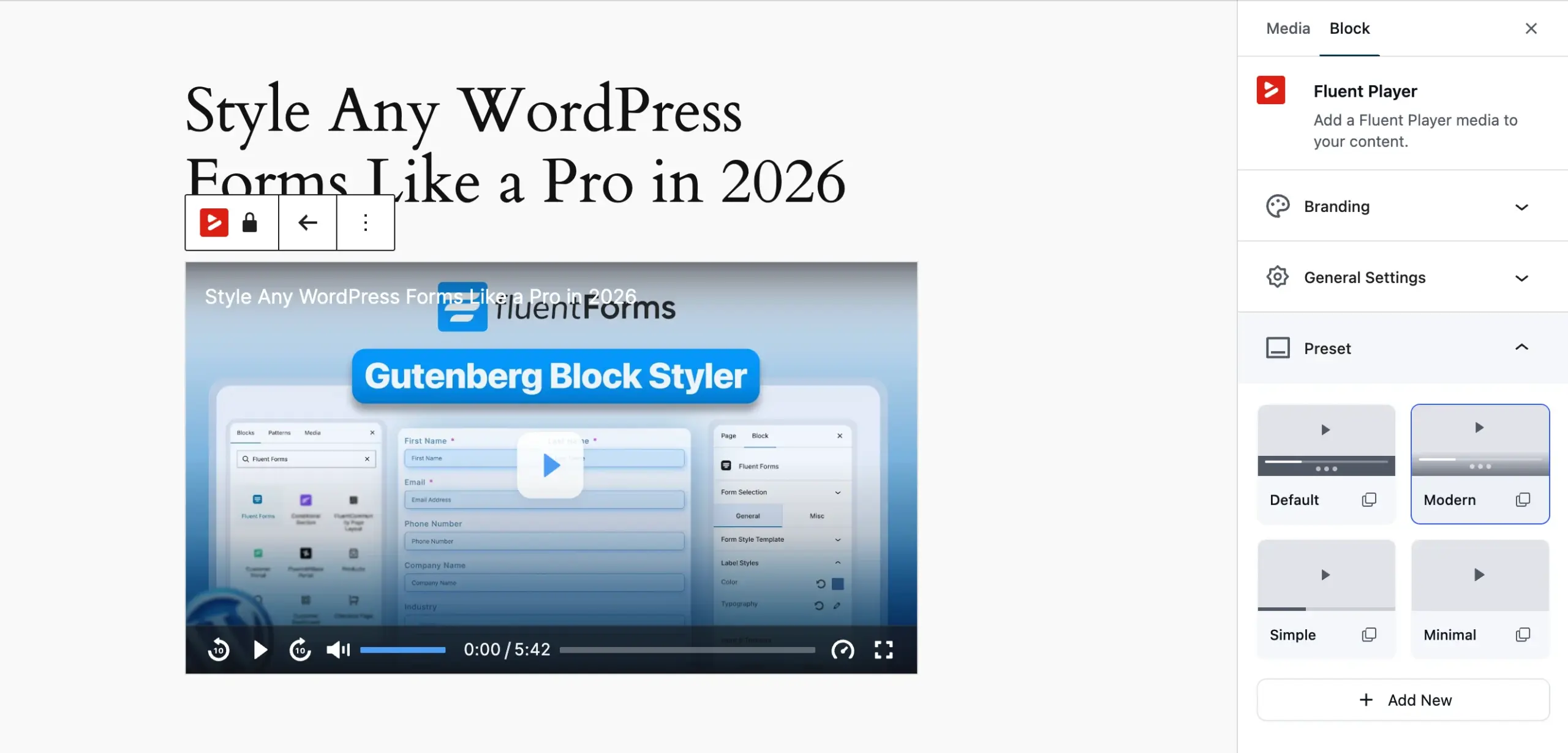
One thing stands out immediately: how native the player feels inside WordPress.
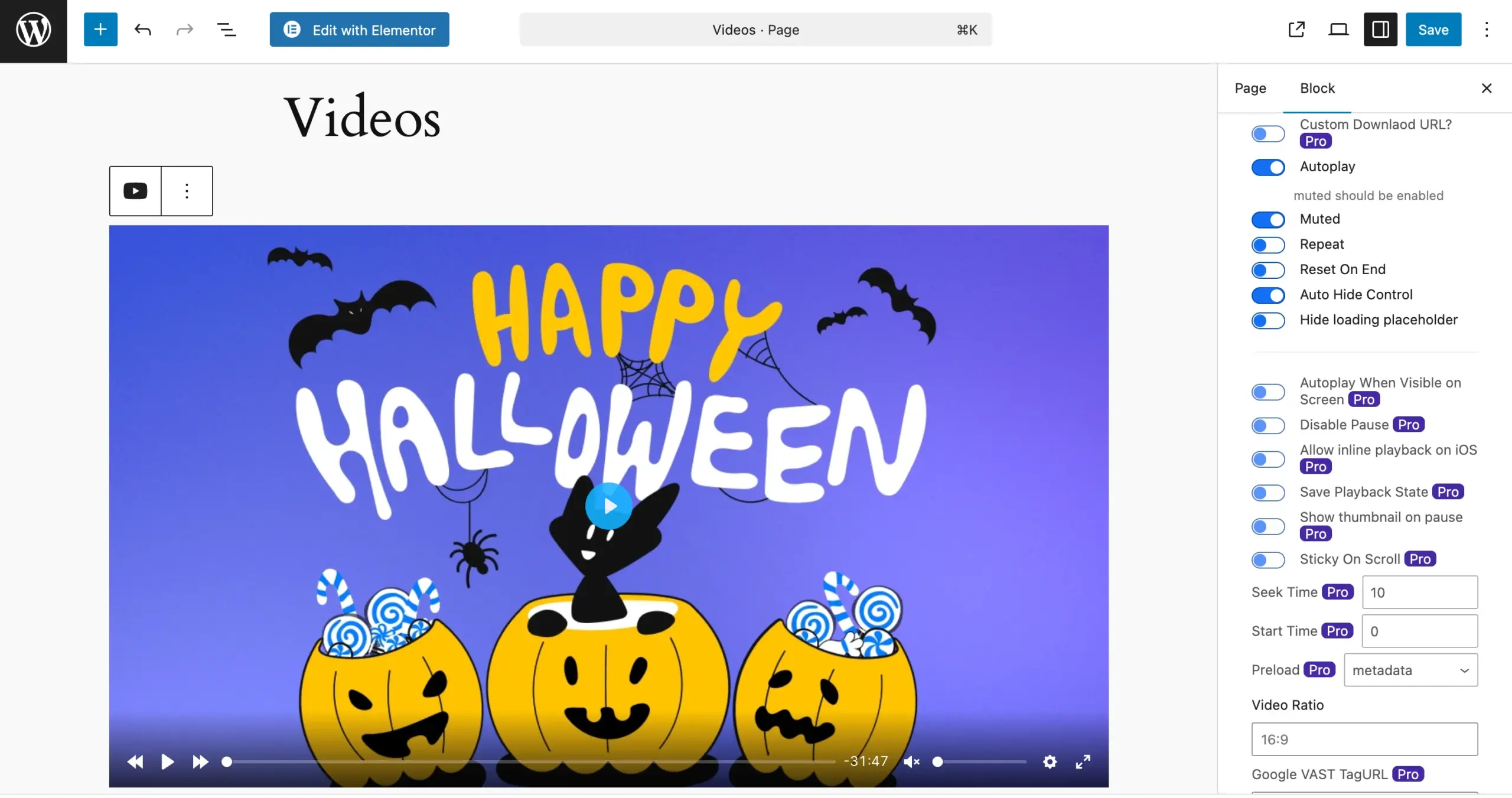
The player is inserted directly through Gutenberg or shortcodes, and configuration happens inline.
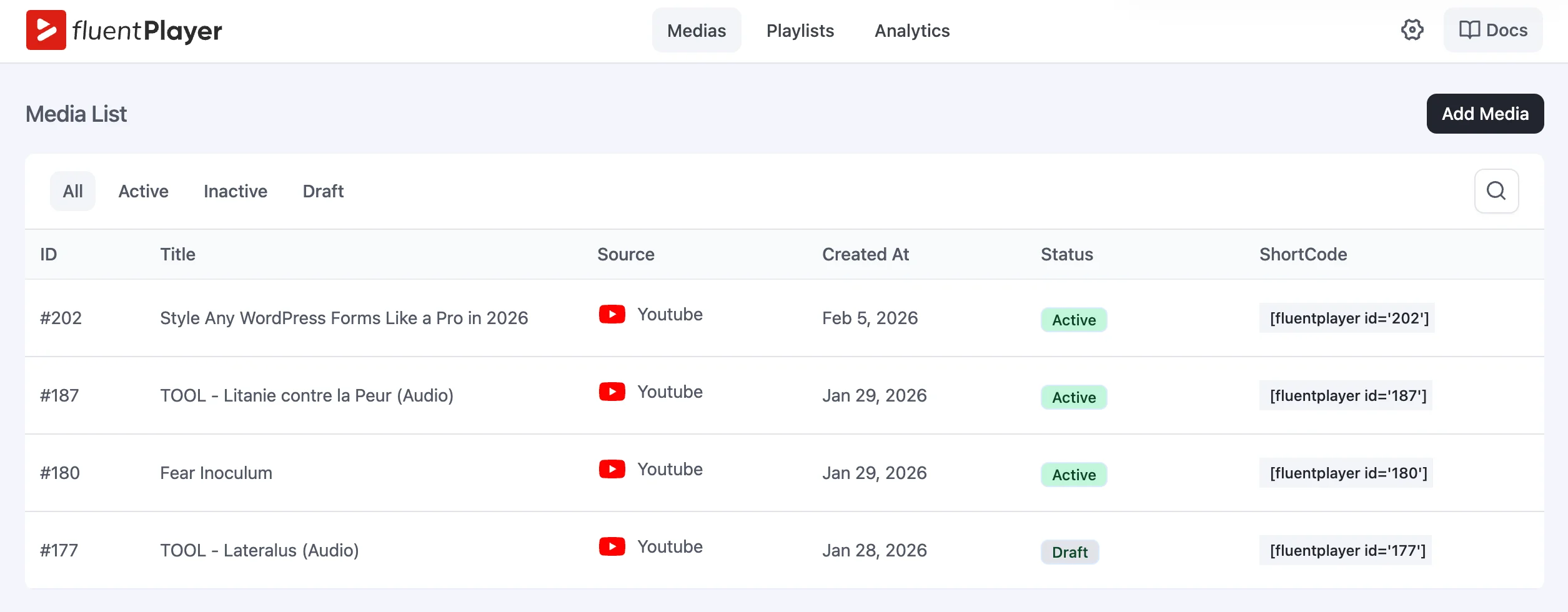
You’re not jumping between dashboards or wrestling with embedded iframes, each behaving differently depending on the source.
Interactive layers as core
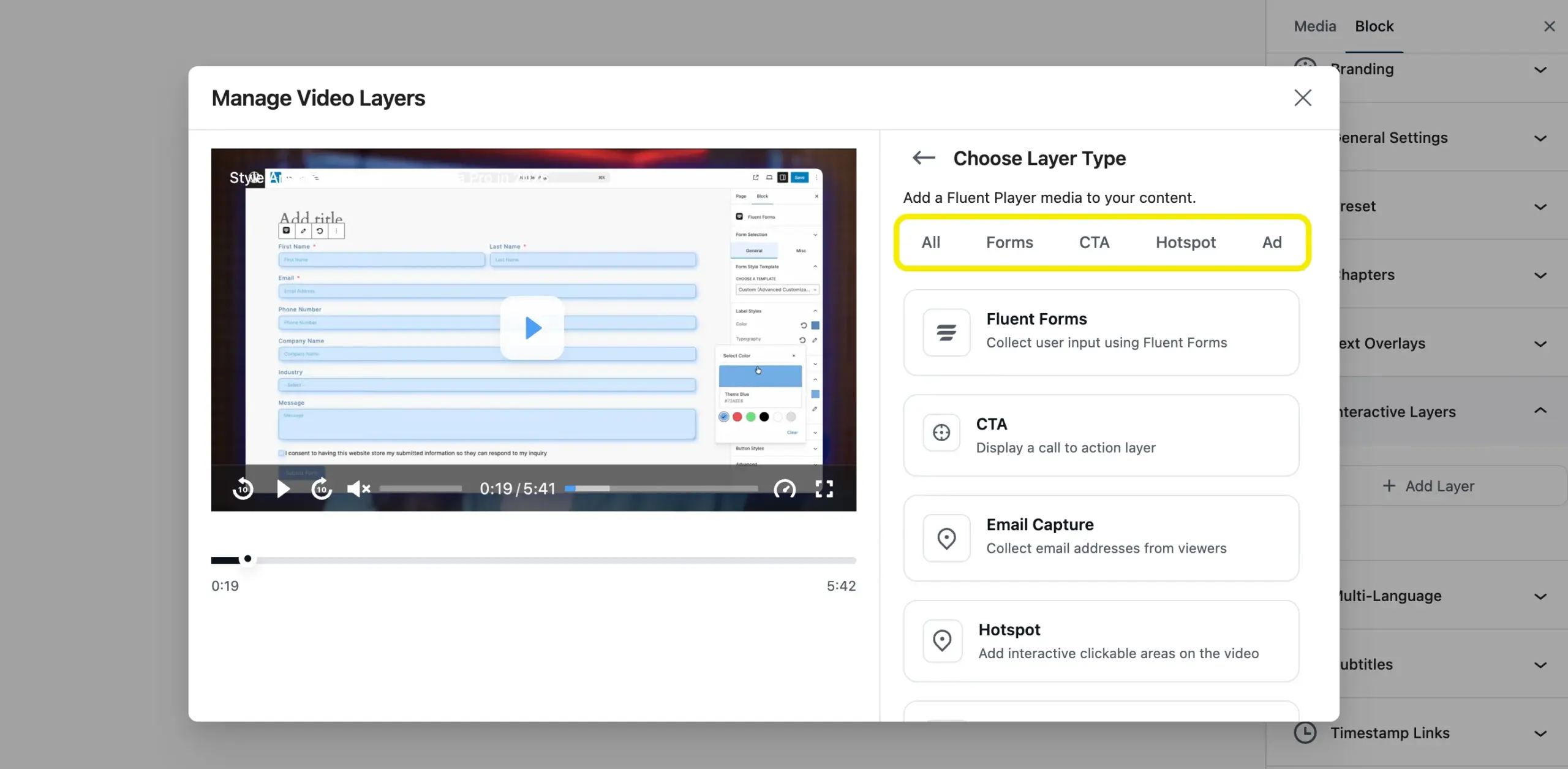
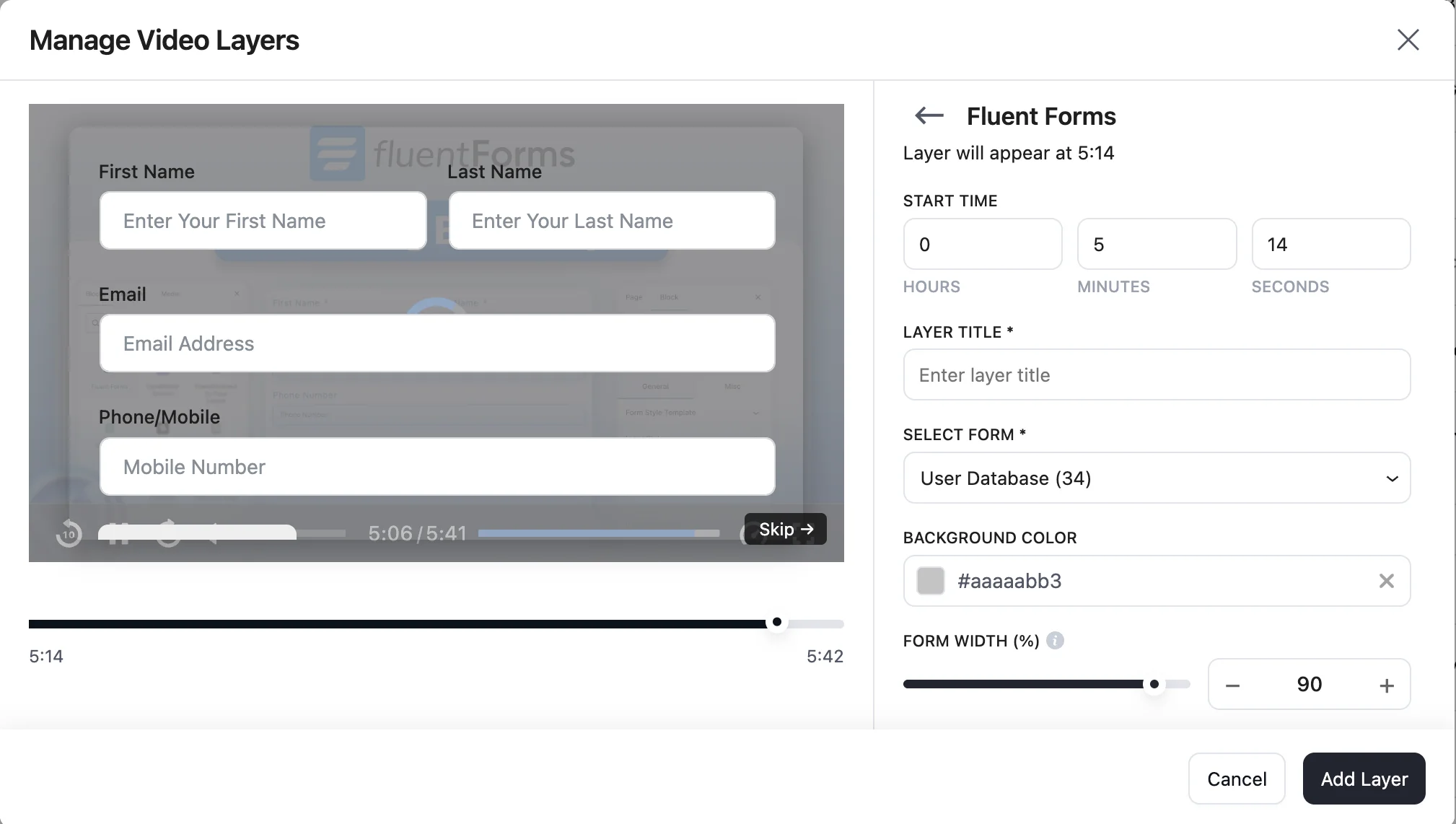
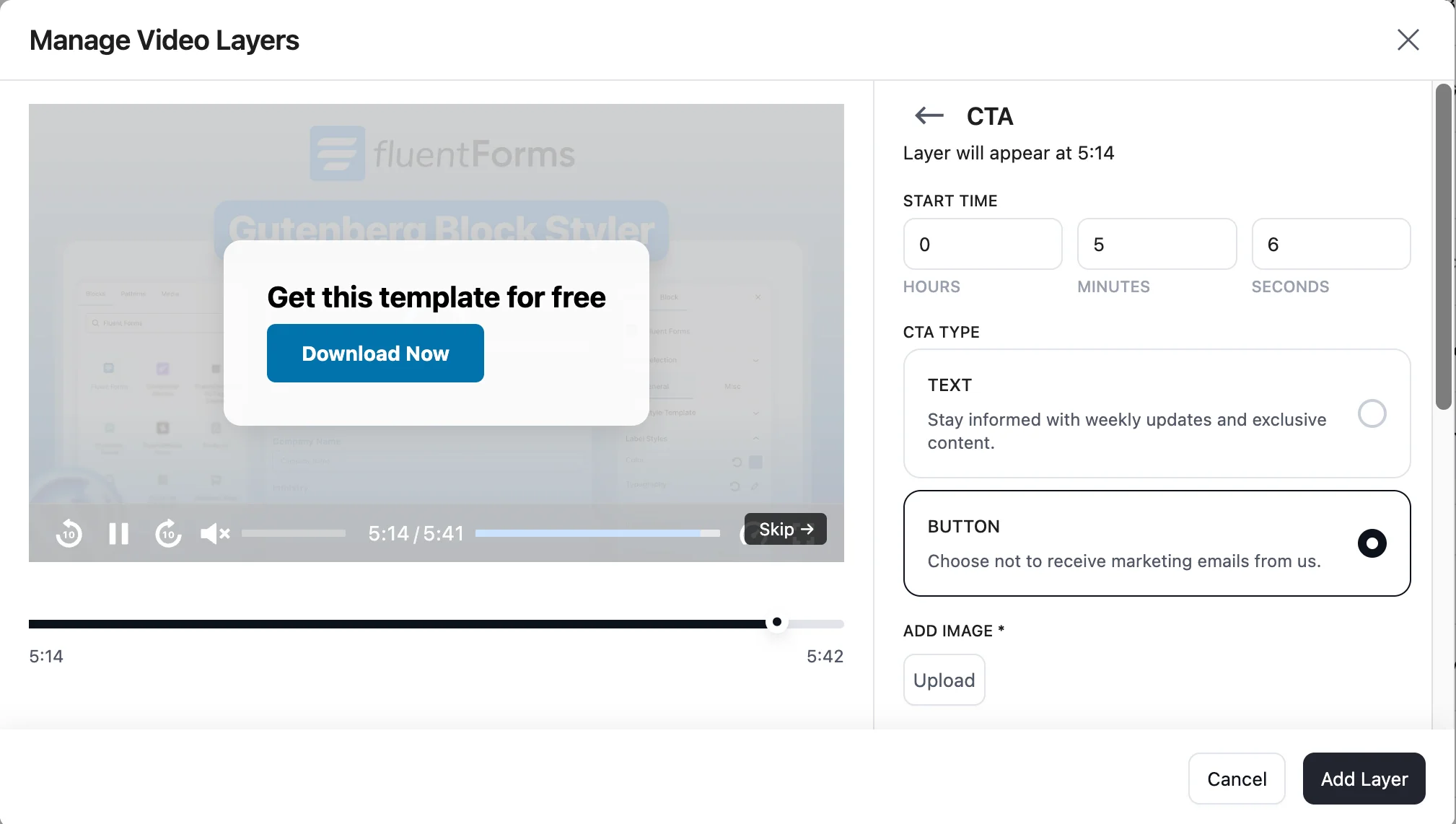
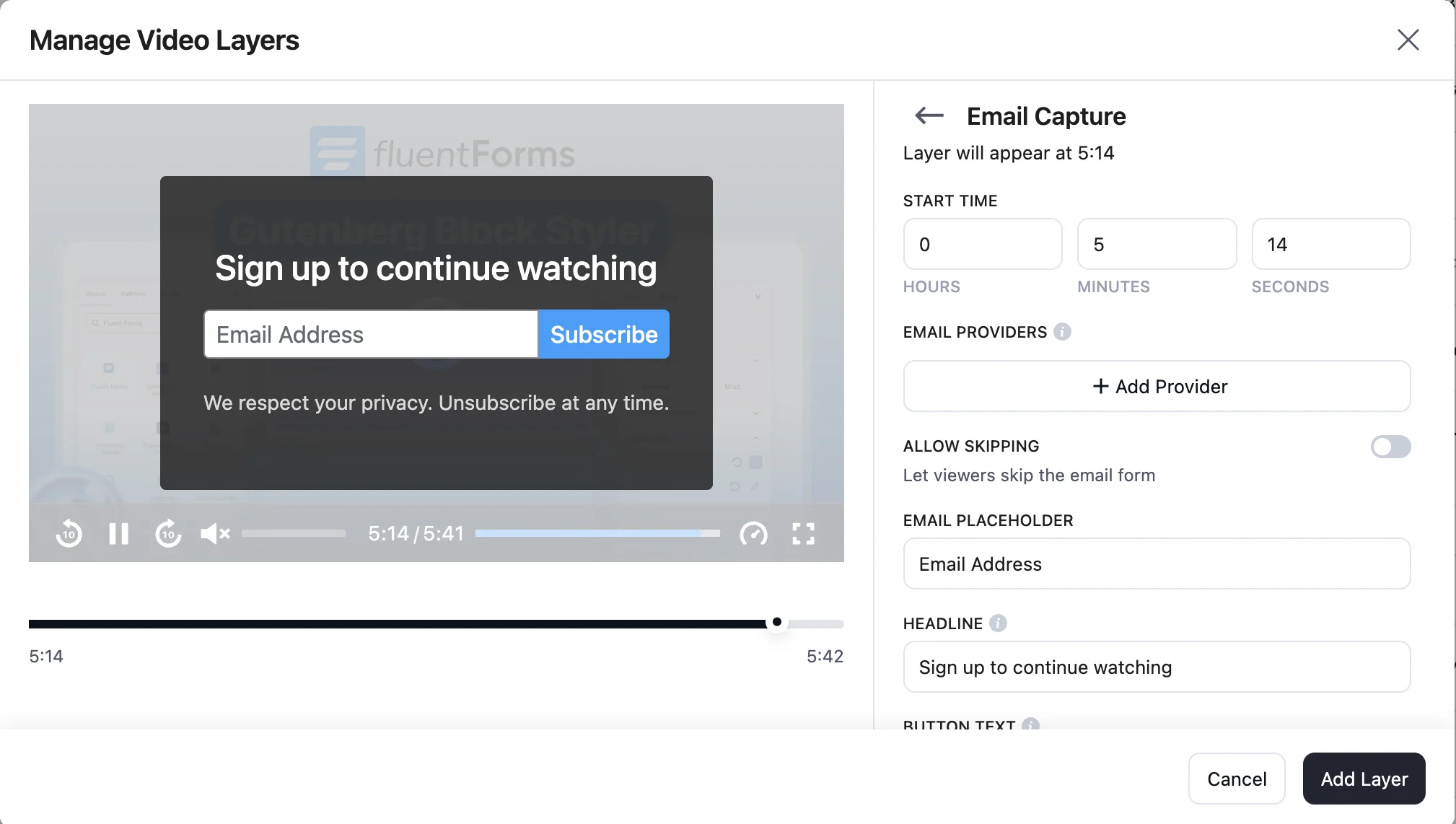
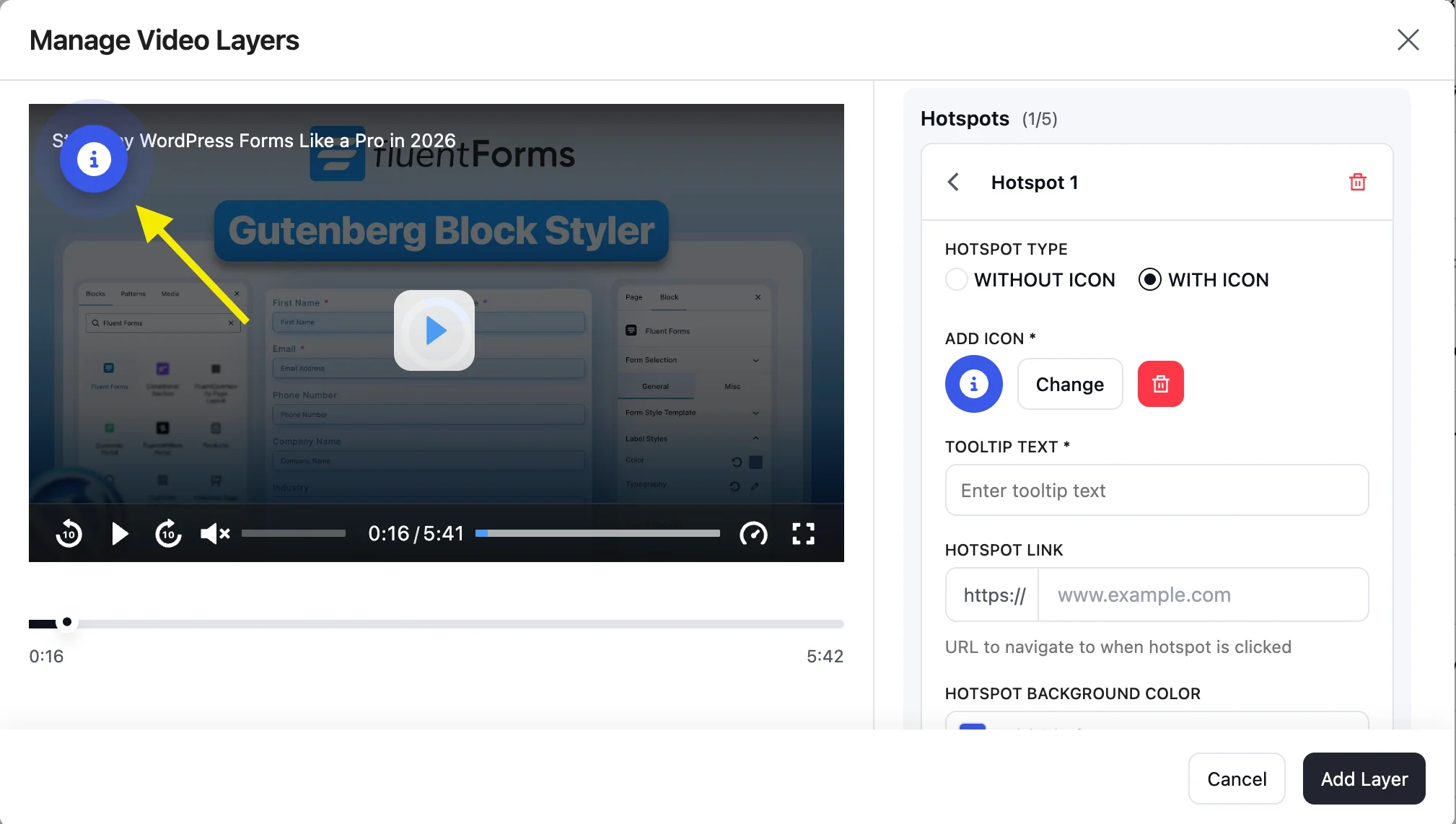
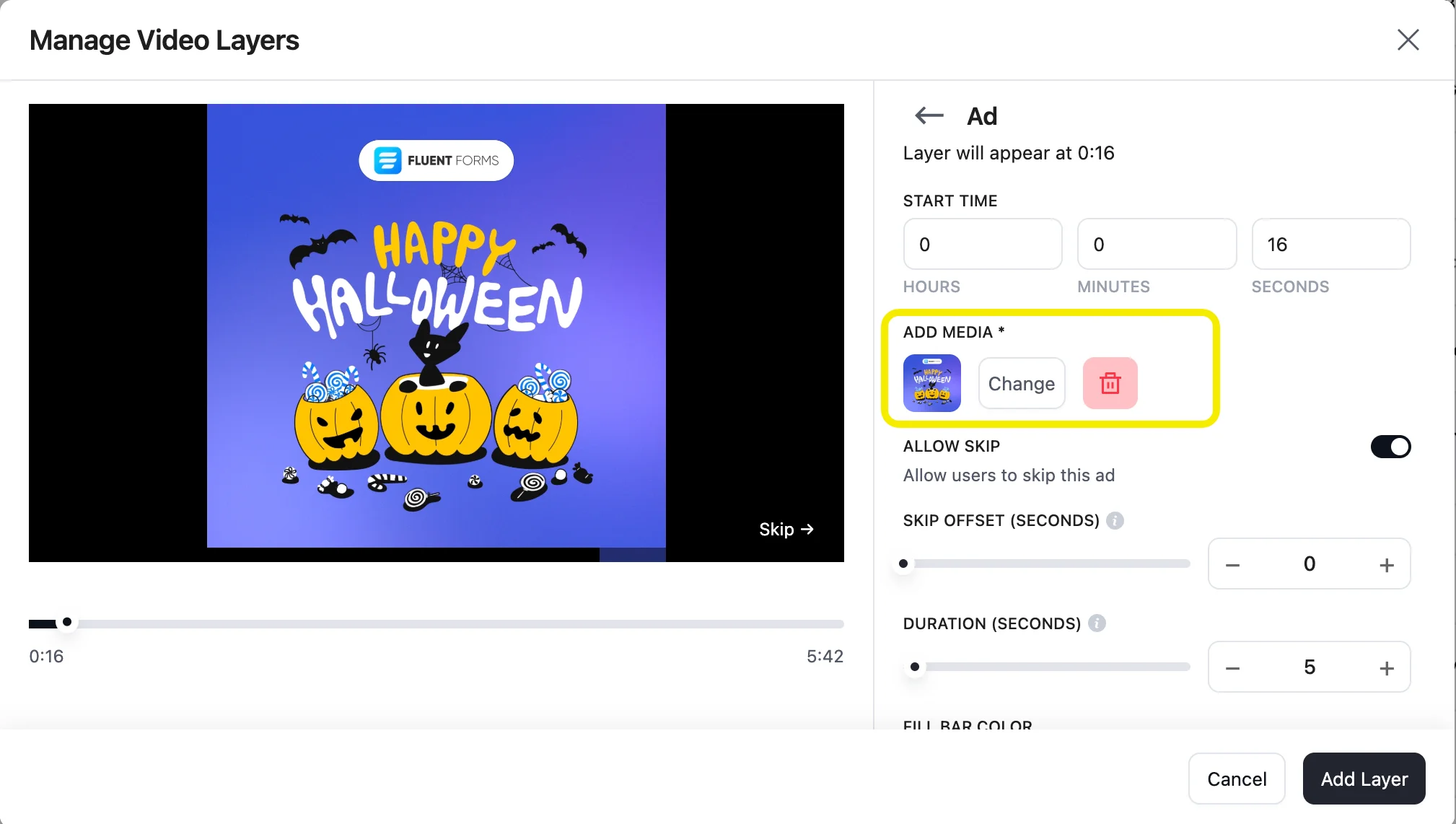
Another feature worth highlighting is interactive layers. FluentPlayer treats CTAs, hotspots, and timed layers as core elements, not add-ons. Forms and email capture layers are free.
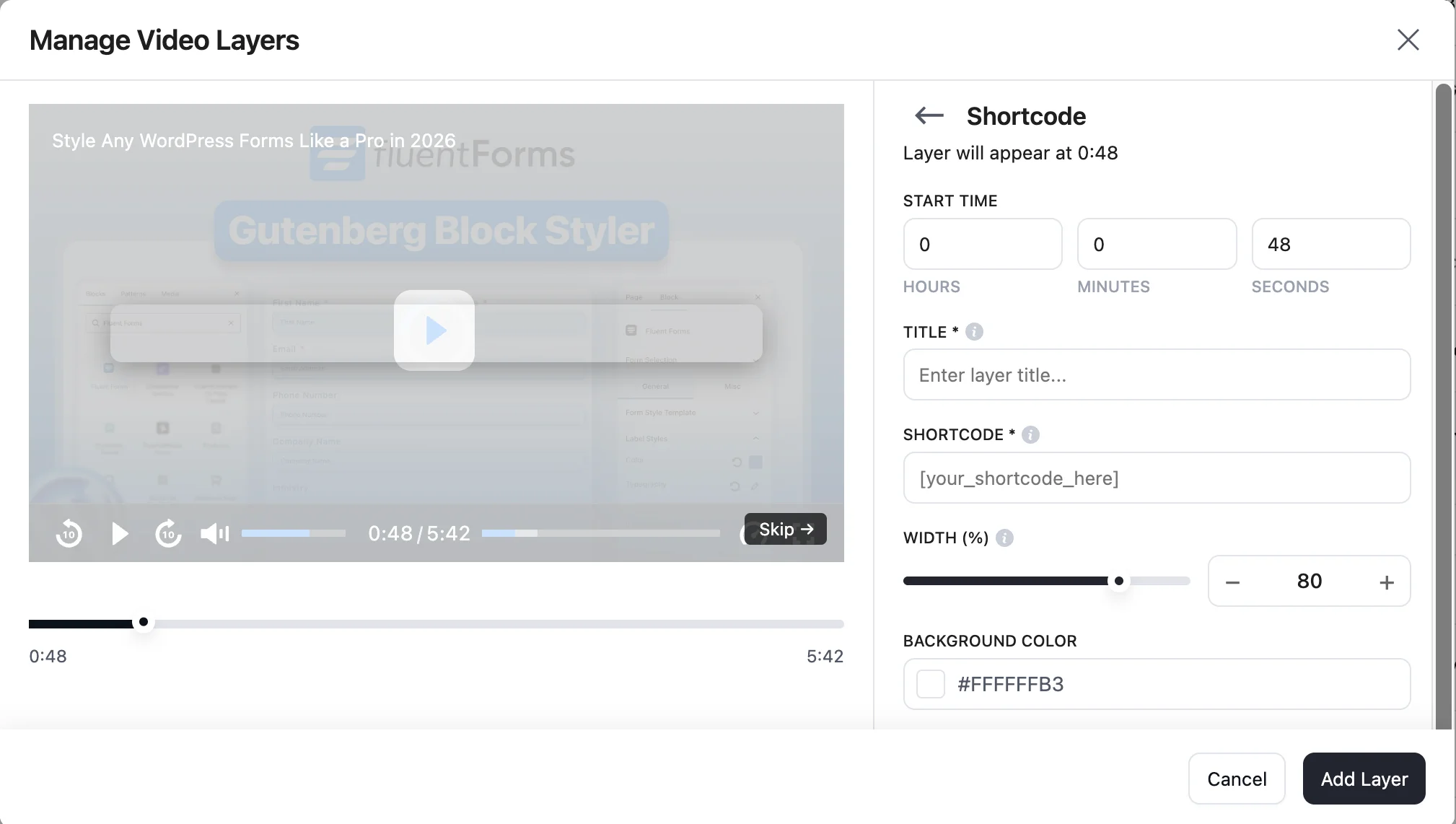
CTA banners, hotspots, the ad layer, and the shortcode layer (the one that embeds a FluentBooking calendar) require Pro. Either way, the interaction happens inside the player, not on a separate landing page.
All layers
Form layer
CTA layer
Email layer
Hotspot layer
Ad layer
Shortcode layer
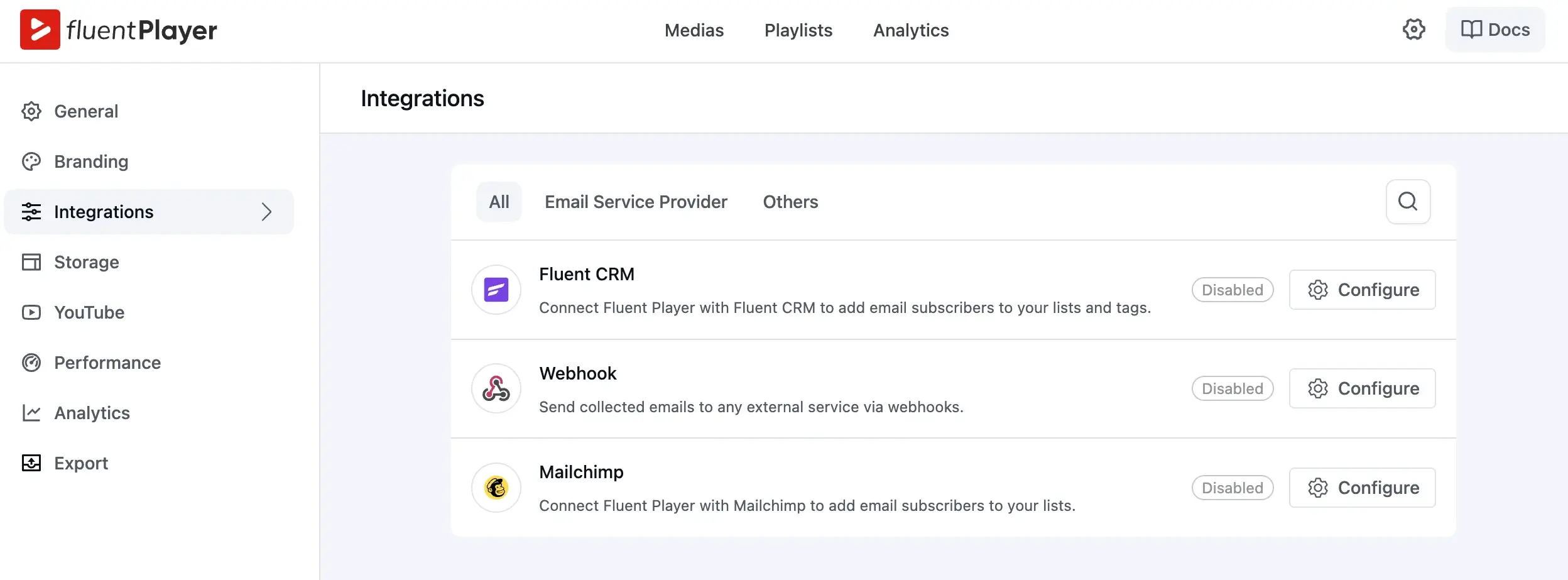
Email capture that connects
The email capture flow is also notable, especially because it connects directly with FluentCRM and WP Mail in the free tier. This makes video feel less like a content asset and more like a functional step in a funnel. You’re not exporting leads manually or relying on third-party connectors just to collect an email.
Ecosystem advantage
Integrations are what turn a video player into a workflow engine. Instead of exporting data, sorting leads, and manually moving people between tools, everything connects automatically.
HTML5 Video Player integrates with LMS platforms, membership plugins, page builders, CRMs, and other third-party tools. It covers a wide range of use cases.
FluentPlayer takes a different route. It connects directly with the WPManageNinja ecosystem. Because these tools are built and maintained by the same team, the integrations are native and frictionless. No glue code. No patchwork connectors.
Let’s see how:
FluentCRM integration: Emails collected inside a video are instantly added to your CRM. From there, you can segment, automate, and nurture leads with personalized campaigns.
Fluent Forms integration: You can display a form at any moment in the video timeline. Capture lead data, process payments, or even sell premium content without redirecting users away from the player.
FluentBooking : Embed your booking calendar directly inside the video (using a shortcode layer) so viewers can schedule a one-on-one or group session while engagement is at its peak.
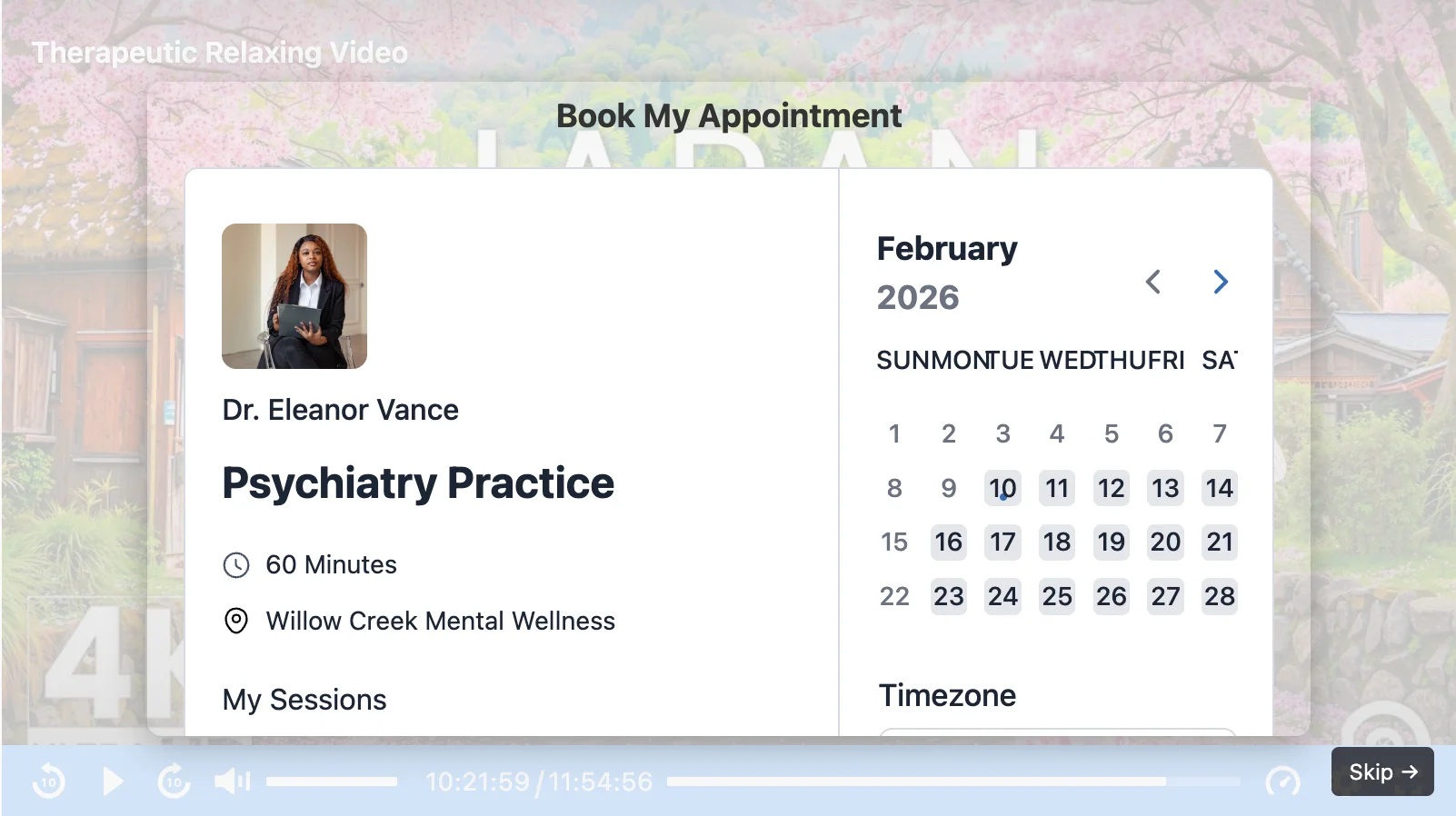
FluentCommunity integration: Add a call to action that invites viewers into your community space. They can discuss, ask questions, and continue the conversation. You can also embed FluentPlayer media inside your course lessons to keep everything connected.
The bigger idea is automation. Once your flows are configured, video becomes part of your nurturing system. Leads move through forms, bookings, emails, and communities without manual handling. You set it up once, and the system keeps working in the background.
Playlist architecture for journeys
Playlist architecture is worth a look too. FluentPlayer offers Standard and Grid playlist layouts, both gated to Pro, along with layout and appearance customization.
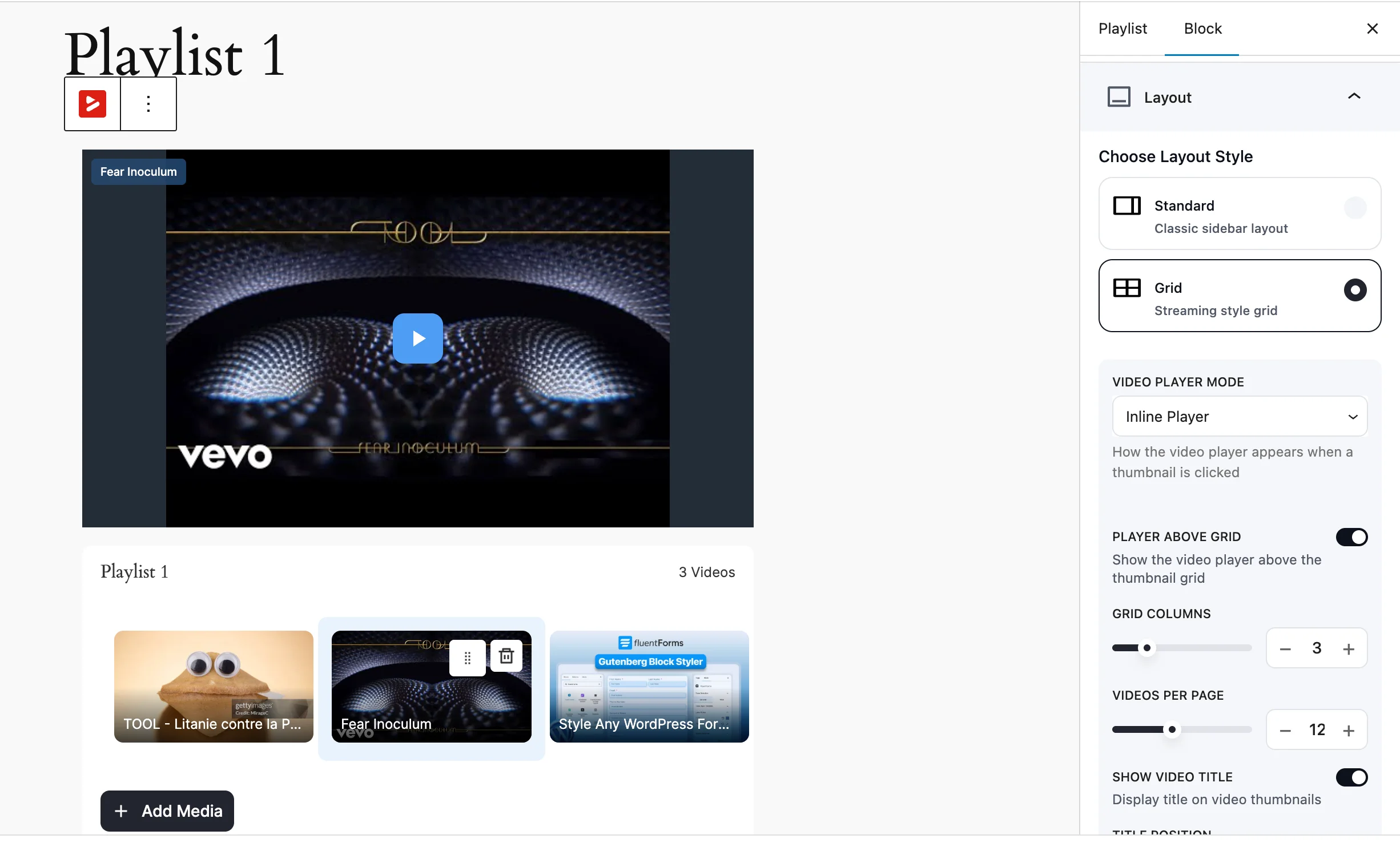
Language switching is free, which removes friction on multilingual sites. Subtitles require Pro.
Ownership, not rental
Most WordPress sites still rely on YouTube embeds. They work, but you’re renting that experience. Related videos that send visitors elsewhere. Branding that isn’t yours. An algorithm deciding what plays next.
The Bunny.net integration strengthens FluentPlayer’s ownership-first philosophy.
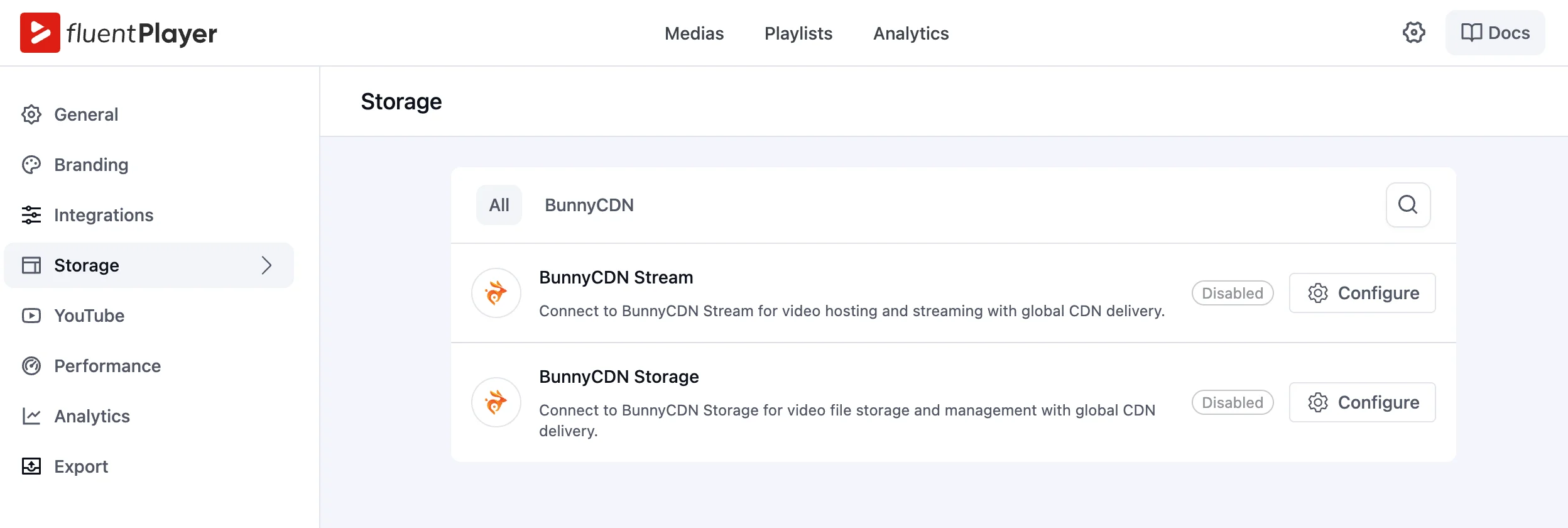
Instead of forcing creators to rely on YouTube or third-party embeds, FluentPlayer connects directly with Bunny’s Streaming and Storage services.
That means:
• Video files can live in optimized global storage
• Streaming is delivered through edge locations worldwide
• Playback remains smooth without platform branding
• Your data stays yours
Bunny Streaming handles adaptive delivery and performance. Bunny Storage ensures your media remains scalable and secure.
FluentPlayer is built around ownership. Your video, your data, your experience. No platform middleman.
WordPress-first performance
Lazy loading is present. AJAX compatibility is built in. Asset optimization is on the roadmap. The architecture assumes WordPress performance constraints from day one, not as an afterthought.
Combined with a Vue-based stack, this points toward scalability as a long-term goal.
These aren’t headline features. They’re signals about what kind of tool FluentPlayer is becoming.
Analytics that show what’s working
Most players give you a view count and call it a day. Video analytics in FluentPlayer’s Pro plan shows you what to do next.
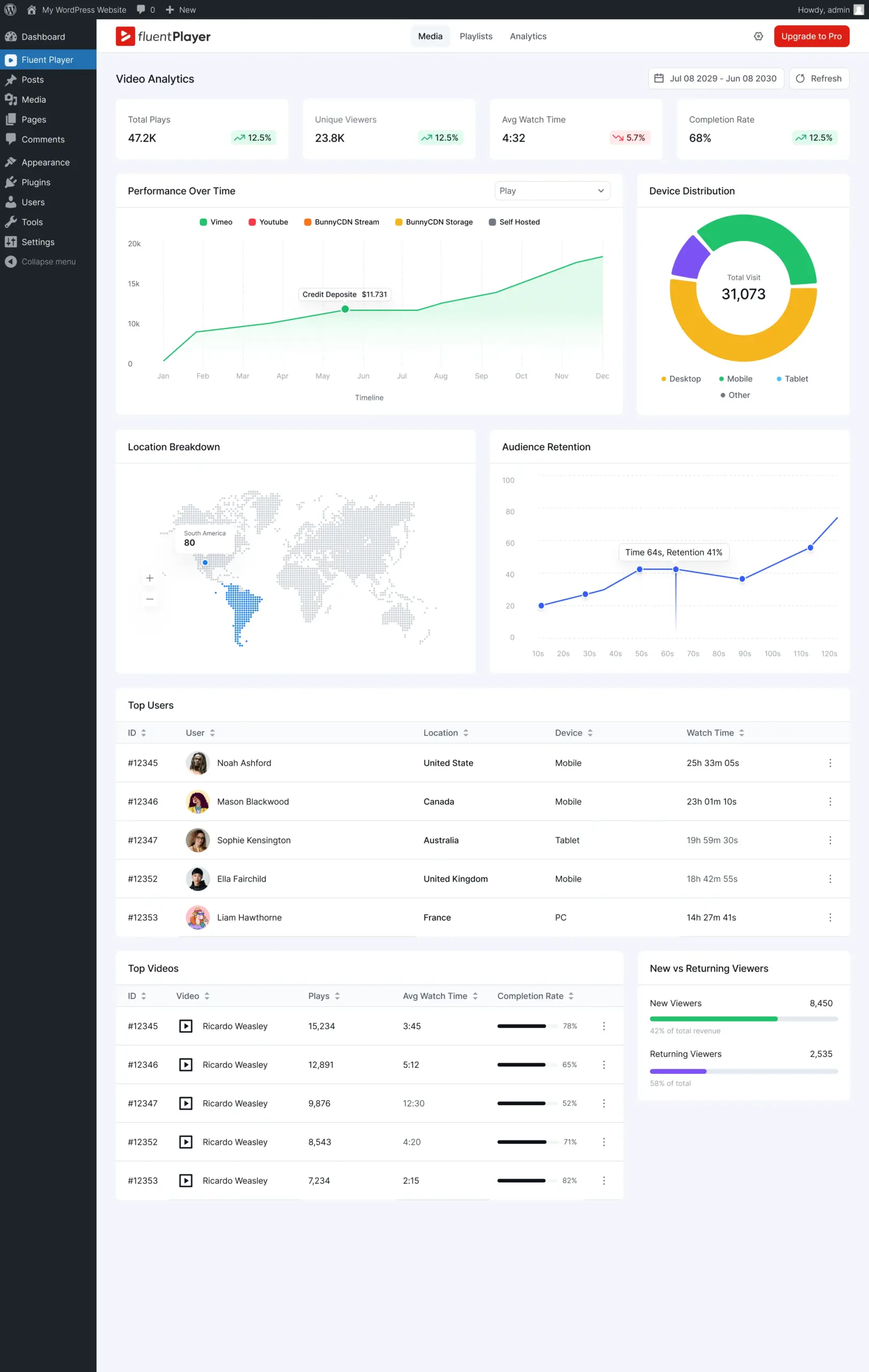
Total plays vs unique viewers reveals whether content went viral or went sticky. Average watch time pinpoints exactly where attention drops.
Completion rate tells you if your sales video or course module actually landed. Audience retention shows the slow sections you need to cut. Top viewers surfaces your most engaged users by name.
Top videos ranks content by real engagement, not just clicks. New vs returning tells you if you’re building an audience or just getting traffic.
Video stops being a black box.
Upgrade to Pro to use Video Analytics →
Who should choose what
HTML5 Video Player makes sense if:
- You need battle-tested playback across formats and protocols
- Your videos are content to be delivered, not funnels to be measured
- Mature LMS integrations matter more than marketing automation
FluentPlayer makes sense if:
- You want video that captures leads and tracks engagement
- Connecting video to your CRM, email, or membership system matters
- You’d rather own the experience than depend on YouTube embeds
- You’re building courses or content journeys without wanting a heavy LMS
Final thought
Video is how the web communicates now. Some tools are refining how video plays. Others rethink what video does.
FluentPlayer is in the second category. The free plan already handles chapters, speed control, and lead capture. Pro adds analytics, interactive CTAs, and playlist journeys.
If you want video that behaves like a page, trackable and measurable, install FluentPlayer and see what the free tier alone covers.
Frequently Asked Questions
Is FluentPlayer free?
Yes. The free plan includes chapters, speed control, inline iOS playback, picture-in-picture, timestamp links, email capture, and multiple media sources including YouTube and Vimeo. Pro adds analytics, CTA and hotspot layers, timed content, subtitles, and remember playback position.
Is HTML5 Video Player free?
A free plan exists, but it covers only responsive design, shortcodes, cross-browser support, autoplay, loop and mute, skins, multi-format support, and custom CSS. Chapters, speed control, password protection, sticky player, watermark, inline iOS playback, and preload options all require the $47.88-a-year Pro plan.
Does FluentPlayer support YouTube and Vimeo videos?
Yes, on the free plan. FluentPlayer’s Multiple Media Sources feature covers self-hosted video, YouTube, Vimeo, and audio files at no cost. Pro adds BunnyCDN Stream, BunnyCDN Storage, and Mux for higher-volume or CDN-hosted delivery.
Does HTML5 Video Player include video analytics?
No analytics feature appears anywhere in HTML5 Video Player’s own published free-vs-pro comparison, across all 35 listed features. FluentPlayer’s Pro plan includes a full analytics dashboard covering watch time, completion rate, audience retention, and viewer location, among other metrics.
How much does HTML5 Video Player Pro cost?
HTML5 Video Player’s Pro plan starts at $47.88 a year, per the vendor’s pricing page. FluentPlayer Pro pricing is listed on the FluentPlayer pricing page.
Does FluentPlayer support switching from HTML5 Video Player?
FluentPlayer doesn’t include a dedicated HTML5 Video Player import tool. It does include a free, built-in Presto Player migration tool. Switching from HTML5 Video Player means re-embedding existing videos through FluentPlayer’s Gutenberg block or shortcode.

This is Sumit. He’s a physics major who’s trying to understand both the physical as well as the WordPress worlds. Whenever he’s not busy, plays fifa or spends time with his family.
Leave a Reply