
Best WordPress Video Players in 2026 (Honest Breakdown)

I never thought about WordPress video players until I started working for FluentPlayer’s marketing team. Before that, a YouTube embed was enough.
Then I tested Presto Player, GoDAM, All-in-One Video Gallery, Vimeo and some other video players properly. Not just feature lists. I cared about UI, UX, and whether the tool actually solved the problem it claimed to.
I am not a developer, so I notice when a setting is buried three menus deep, and that friction matters. This breakdown covers the best WordPress video players in 2026, with a direct install link for the right one.
TL;DR
- The best WordPress video player depends on what your video is for, not on feature count.
- Presto Player suits course creators who want polished playback and private videos.
- GoDAM fits teams who want in-video lead forms plus media management.
- FluentPlayer turns playback into conversion with forms and CTAs inside the video, try the free version now.
- FV Player is the pick for advanced self-hosting and streaming formats.
- For piracy protection use VdoCipher, and for live events use WpStream.
Overview of the Default WordPress Video Block
WordPress already plays video before any plugin, with a built-in Video block for embeds.
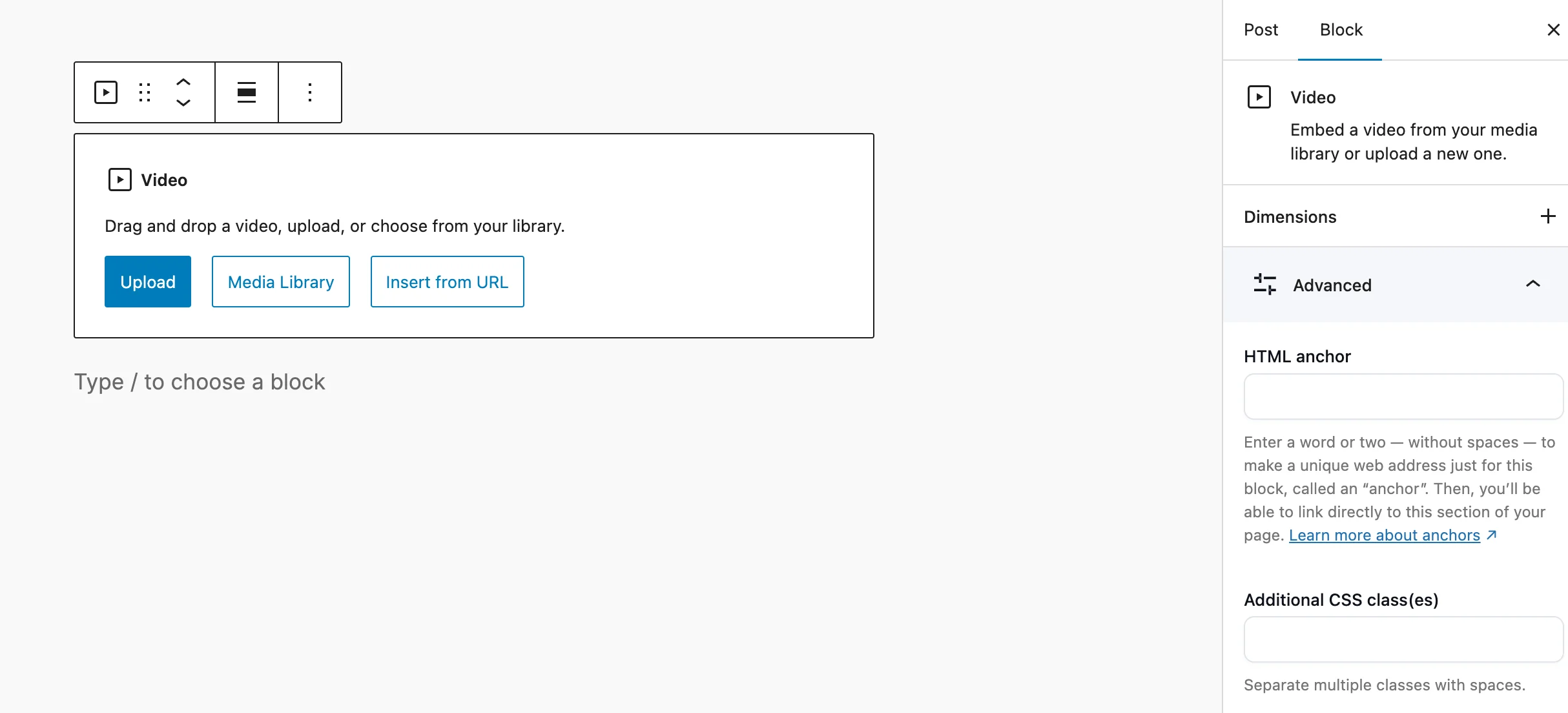
What you get out of the box
- Drop a Video block or paste a YouTube or Vimeo URL
- Basic autoplay, loop, and muted controls
- Live in a minute, no setup
Where the default ends
- No branding, no logo, no custom colors
- No analytics for self-hosted video
- Heavy files strain shared hosting and slow pages
- YouTube embeds show related videos from other channels
Best for: A single clip on an About page.
Before You Compare plugins, Answer This Question
What job does your video have?
- Generate leads?
- Teach a course?
- Protect paid content?
- Stream live events?
- Build a video library?
- Improve page speed?
Write down your answer before looking at features.
Once you know the job, most of the options on this list disappear.
Why You Need a WordPress Video Player Plugin
A plugin earns its place the moment a video has a job to do.
The five reasons to upgrade:
- Branding: Viewers see your logo and colors, not YouTube’s, so they associate the video with you.
- Conversion: A viewer who finishes a video and sees a form stays on your site and becomes a lead.
- Performance: Conditional loading and CDN delivery stop your video from failing a Core Web Vitals audit.
- Analytics: You see which minute viewers stop watching, so you know exactly where the content loses them.
- Security: A private video link with an expiry date stops a paying student from sharing it with someone who did not pay.
The bottom line: A player is a decision about what your video should do.
Best WordPress Video Players in 2026 Compared
Eight players make the full review below, picked because each wins a clearly different job.
|
Plugin |
Best for |
In-video lead capture |
Video sources |
Free Version |
Starting Price |
|---|---|---|---|---|---|
|
FluentPlayer |
Interactive, conversion video |
Yes |
Self-hosted, YouTube, Vimeo, BunnyCDN, Mux, HLS |
Yes |
$199 (Lifetime) |
|
Presto Player |
Courses and polished playback |
Yes |
Self-hosted, YouTube, Vimeo, Bunny |
Yes |
~$79/yr |
|
GoDAM |
In-video lead gen plus media management |
Yes |
Self-hosted, cloud CDN |
Yes |
$7.50/mo |
|
FV Player |
Advanced self-hosting and streaming |
No |
Self-hosted, YouTube, Vimeo, HLS |
Yes |
One-time license |
|
SmartVideo |
Speed and replacing YouTube embeds |
No |
Self-hosted, YouTube, Vimeo |
Plugin free |
Swarmify plan |
|
All-in-One Video Gallery |
Video galleries and libraries |
No |
Self-hosted, YouTube, Vimeo, Bunny |
Yes |
$4.99/mo |
|
VdoCipher |
Piracy protection for paid content |
No |
VdoCipher DRM hosting |
Free Plan |
~$129/yr |
|
WpStream |
Live streaming and pay-per-view |
No |
Live RTMP, VOD |
Free Trial |
~$24/mo |
1. FluentPlayer
FluentPlayer is a WordPress video player built to turn views into action, from the WPManageNinja team behind Fluent Forms and FluentCRM.
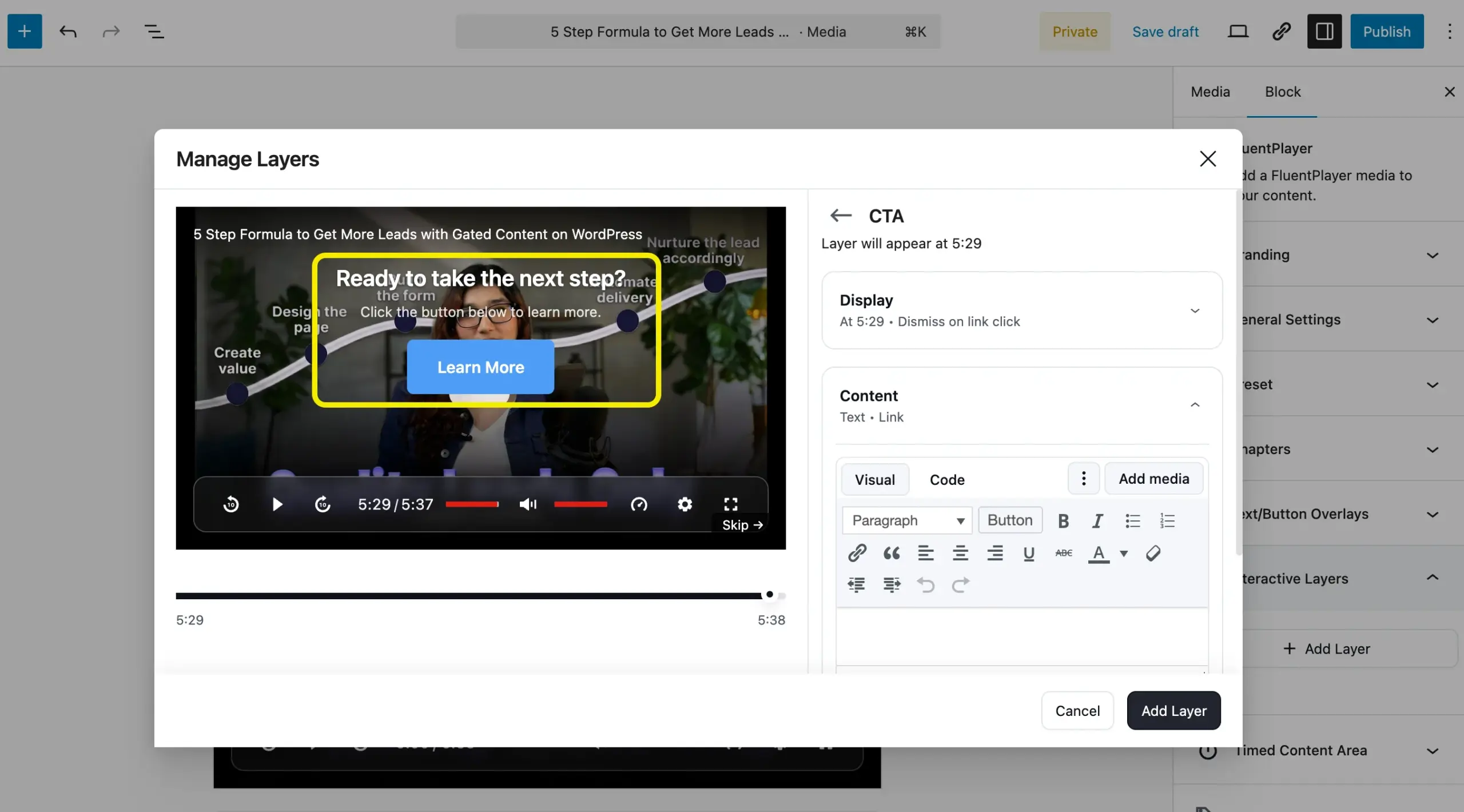
What you can do with it
- Stop a viewer at the exact moment they are most engaged and collect their email, right inside the video
- Show a Fluent Forms lead form or booking calendar mid-video, without sending the viewer to another page
- See where viewers drop off, then cut or rework the section bleeding your completion rate
- Build a playlist with chapters so viewers finish a series instead of bouncing after one clip
- Tag a new lead in FluentCRM the moment they fill in the in-video form, with no manual import
Why it stands out
- Six interactive layer types in the beta I tested: Forms, CTA, Hotspot, Ad, Email Capture, and Shortcode
- The Fluent Forms connection lets me run surveys, collect payments, and capture leads inside one video
Where it falls short
- Pre-launch, so it is not installable yet, and pricing is not set
- Deepest value shows up if you already use other Fluent products
Best for
Marketers and creators who want video to capture leads and drive clicks, especially Fluent Forms or FluentCRM users.
Pricing
It’s offering a lifetime license starting from $199.
Download FluentPlayer for free
2. Presto Player
Presto Player is the player most WordPress course creators reach for, and it held up well across every test I ran.
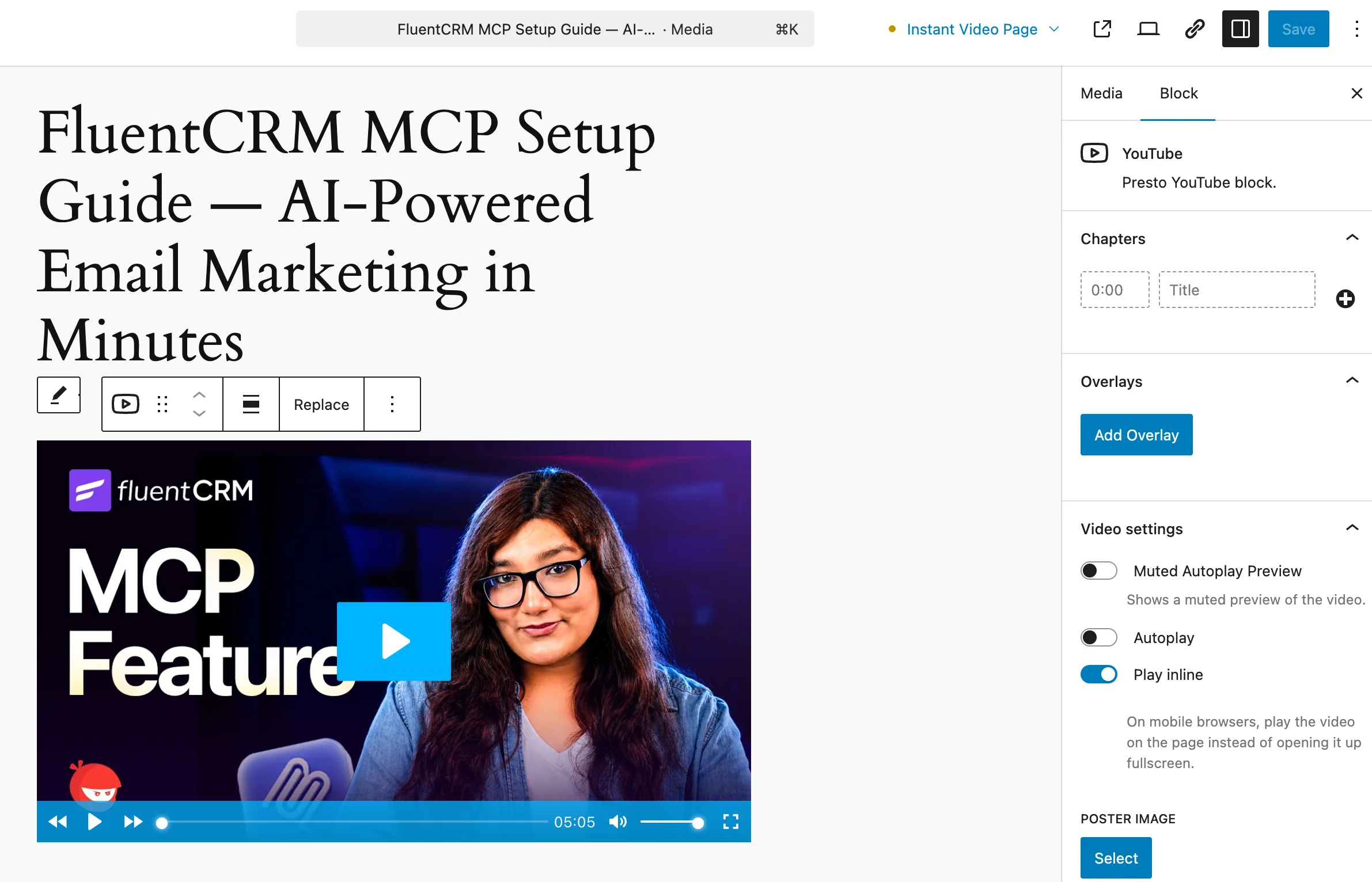
What you can do with it
- Gate a lesson behind a login so only paying students reach the video
- Drop a mid-video opt-in to grow your list while a student watches a free preview
- Add chapter markers so students jump to the section they need instead of scrubbing
- Connect to LearnDash or TutorLMS and have the player respect your course access rules automatically
Why it stands out
- Rock solid across every test scenario I put it through
- LMS integration works without configuration once the course plugin is active
Where it falls short
- Three interactive layers (Email Capture, CTA, Action Bar) only
- A separate media library instead of the native WordPress one, which I find irritating
- No custom JavaScript support on the player
Best for
Course creators and educators who want private, branded video tied to their LMS.
Pricing
Free version on the WordPress repository. Paid plans start around $79 per year for a single site, with a lifetime plan near $399.
3. GoDAM
GoDAM by rtCamp is the closest rival to FluentPlayer’s angle. In testing, the cloud transcoding is the real selling point.
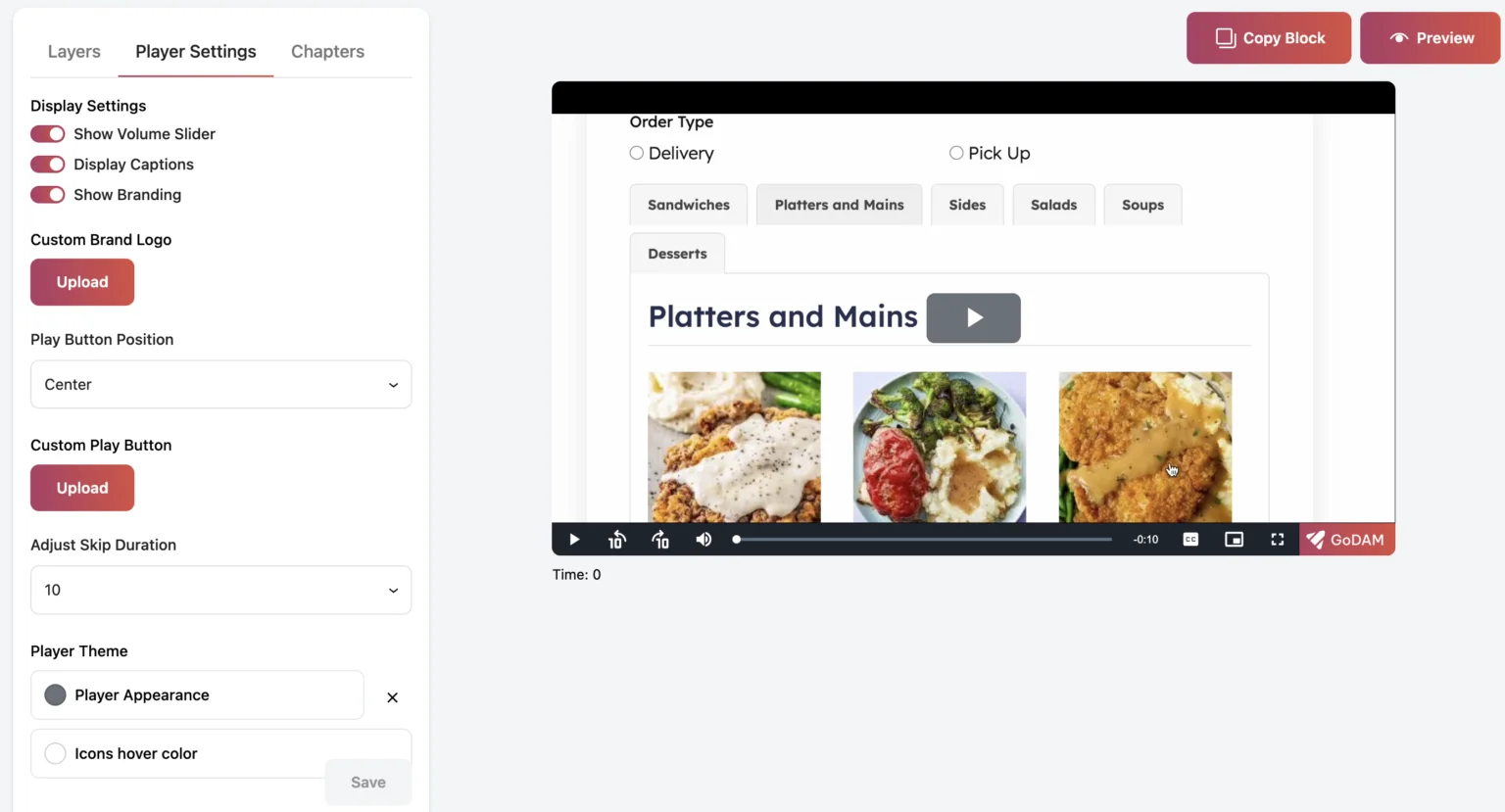
What you can do with it
- Embed the form plugin you already use inside the video so leads arrive without a separate landing page
- Upload a raw video file and let GoDAM transcode it to every resolution automatically, without touching your server
- Place a hotspot or poll over a product demo to capture intent at the highest-attention moment
- Manage videos across multiple client sites from one GoDAM Central dashboard
Why it stands out
- Cloud transcoding is the real differentiator: upload a raw file and GoDAM handles the compression without touching your server
- Kept my existing form plugin rather than switching, which saved a migration
Where it falls short
- Videos live on GoDAM’s servers, with a 30-day grace window if your subscription lapses
- Full hosting, transcoding, and Pro analytics all live behind GoDAM Central
- No native CRM integration
Best for
Teams who want in-video lead generation and a way to organize a growing video library.
Pricing
Free version available. Pro starts at $7.50 per month on an annual plan for unlimited sites, with a 7-day trial. See GoDAM pricing.
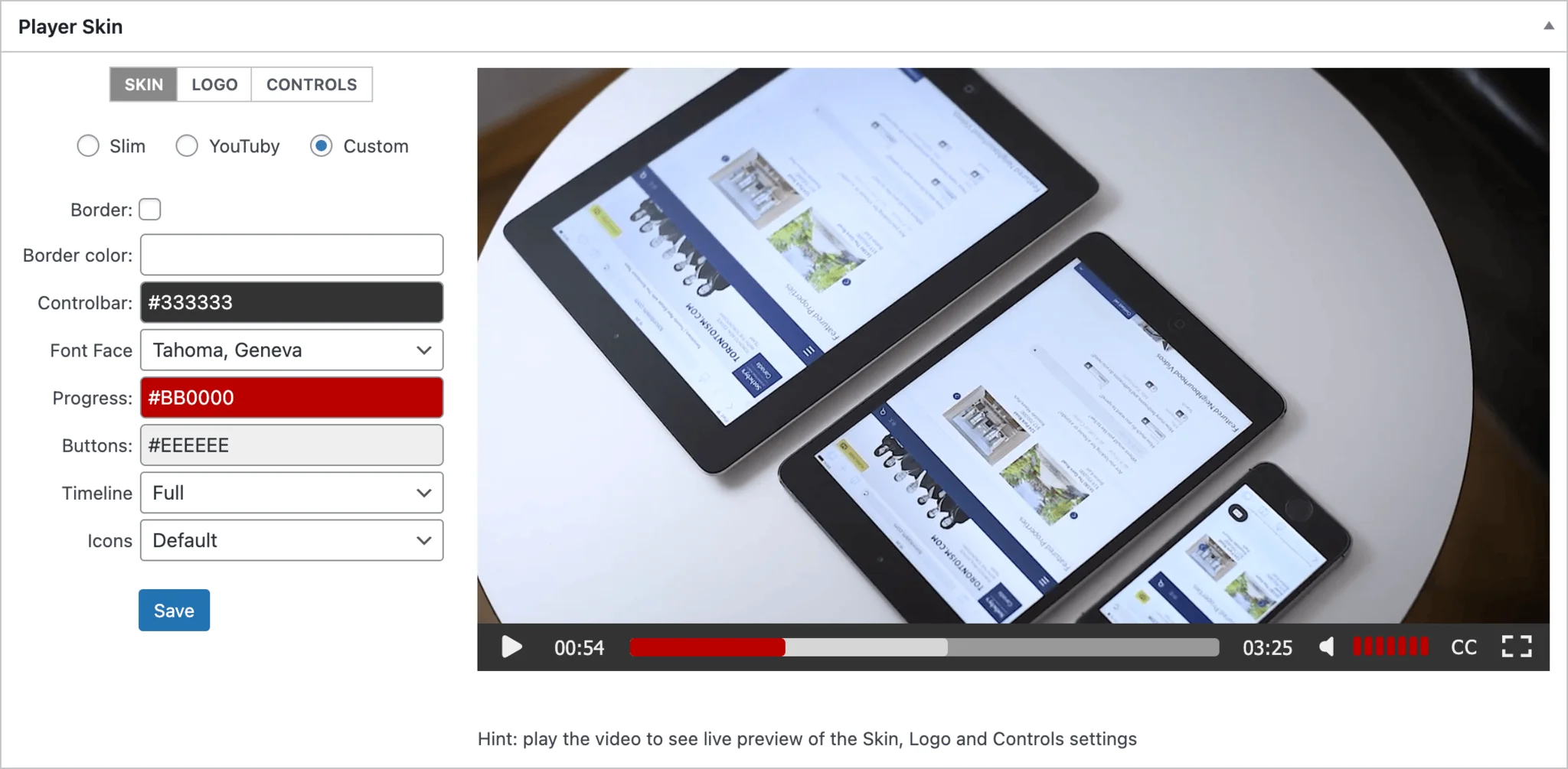
4. FV Player
FV Player appeals to site owners who prefer running video on their own infrastructure and want more control over playback. It delivers features rivals reserve for paid hosting services, at the price of free or cheap hosting.
What you can do with it
- Stream HLS video from your own server without paying a CDN hosting fee
- Run pre-roll, mid-roll, or post-roll ads via VAST or VPAID and keep the revenue
- Let viewers search your transcript to jump to the exact moment they need
- End a video on a custom screen with an offer instead of YouTube’s recommended grid
Why it stands out
- Around 56KB of JavaScript with no third-party branding on the player
- The only free WordPress player I know with VAST and VPAID ad insertion built in
Where it falls short
- The interface and option count overwhelm beginners
- No in-video forms, so lead capture means a separate tool
Best for
Technical users and publishers who self-host video and want streaming and ad control.
Pricing
Free open-source version with FV Player branding. Pro is a one-time purchase per domain, including one year of updates and support. Check the FV Player store for the current single-site price.
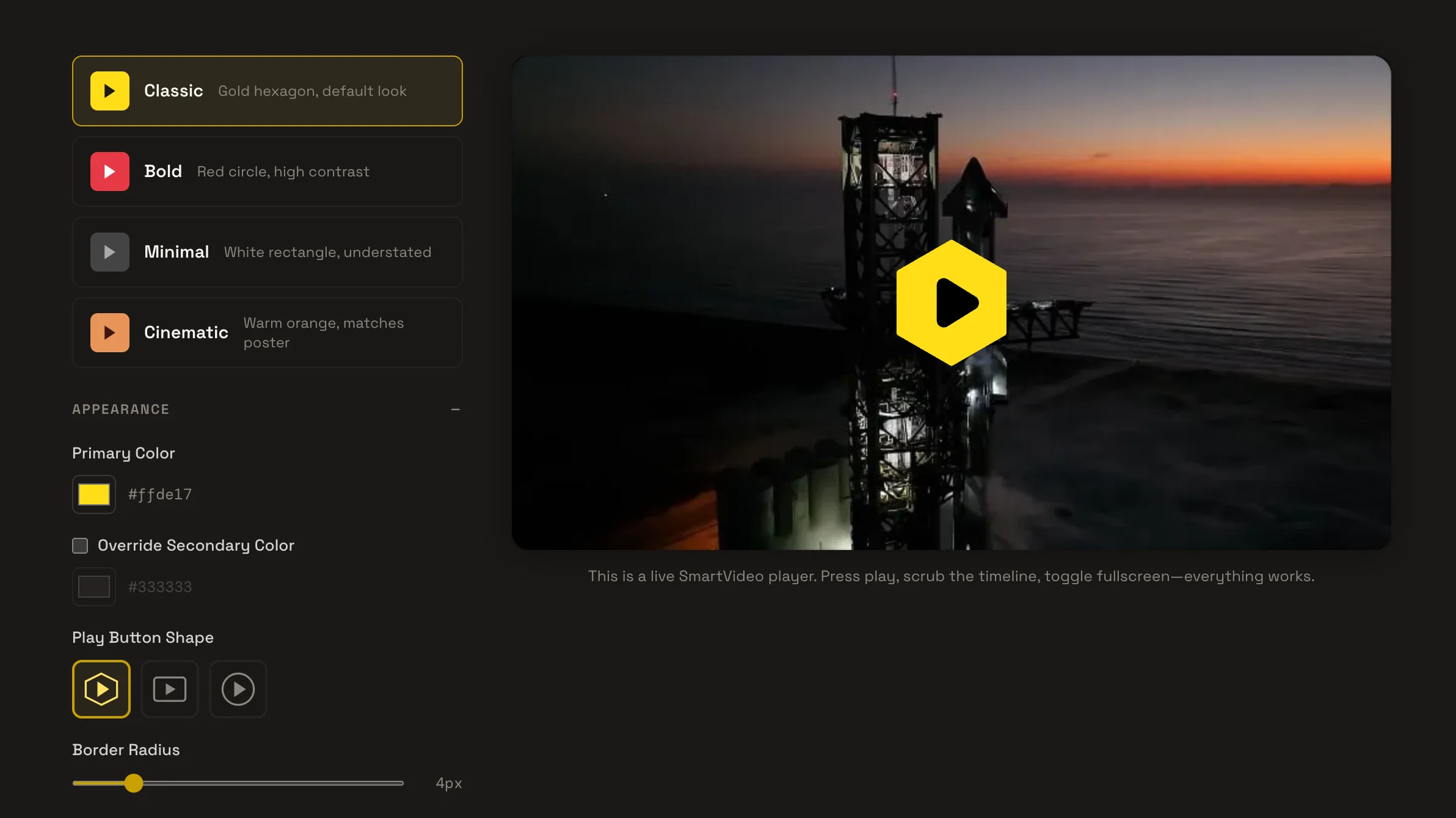
5. SmartVideo
If YouTube and Vimeo embeds are hurting page speed, SmartVideo exists to fix that problem. It swaps YouTube and Vimeo embeds for a clean, ad-free player served from a global CDN.
What you can do with it
- Pass a Core Web Vitals audit on a page with embedded video, without removing the video
- Stop competitors’ ads and related videos from appearing on your own site after each clip ends
- Keep using YouTube or Vimeo as your host while stripping out the embed weight they add
Why it stands out
- One install is often enough to move a failing LCP score into the green
- No configuration needed: swap the embed, the player script loads conditionally
Where it falls short
- The plugin is free, but delivery needs a paid Swarmify account
- No lead capture, analytics, or interactive layers
Best for
Site owners whose main pain is slow pages from video embeds.
Pricing
The plugin is free and open source. Delivery runs through Swarmify, a paid service. Check Swarmify pricing for current rates.
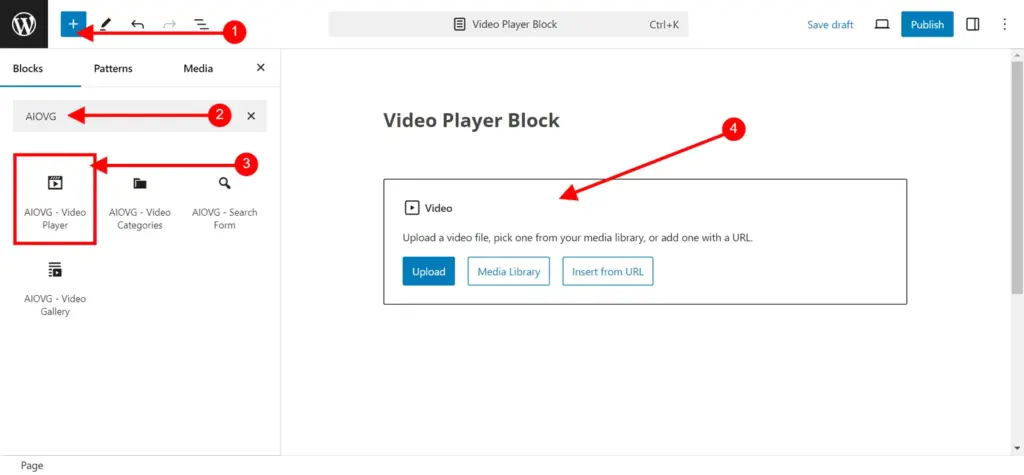
6. All-in-One Video Gallery
All-in-One Video Gallery is the pick when you need a video library, not a single embed. In testing, the gallery and search side is where it genuinely shines.
What you can do with it
- Let visitors search and filter a library of hundreds of videos by category or tag, without building a custom archive
- Allow community members to submit their own videos from the frontend without admin access
- Display a large video library in a grid layout so visitors find the right video without browsing every page
Why it stands out
- Search and filtering held up well across a large library in testing
- The gallery handles the organization work a custom post type would normally require
Where it falls short
- The player is there to play videos, with no interactive layers
- View counts are cookie-based, with no real native analytics
- No CRM, marketing automation, or in-video email capture
Best for
Sites with large video libraries to organize and browse.
Pricing
Free version available. Pro is $4.99 per month or $149.99 lifetime for a single site. Business is $9.99 per month or $289.99 lifetime.
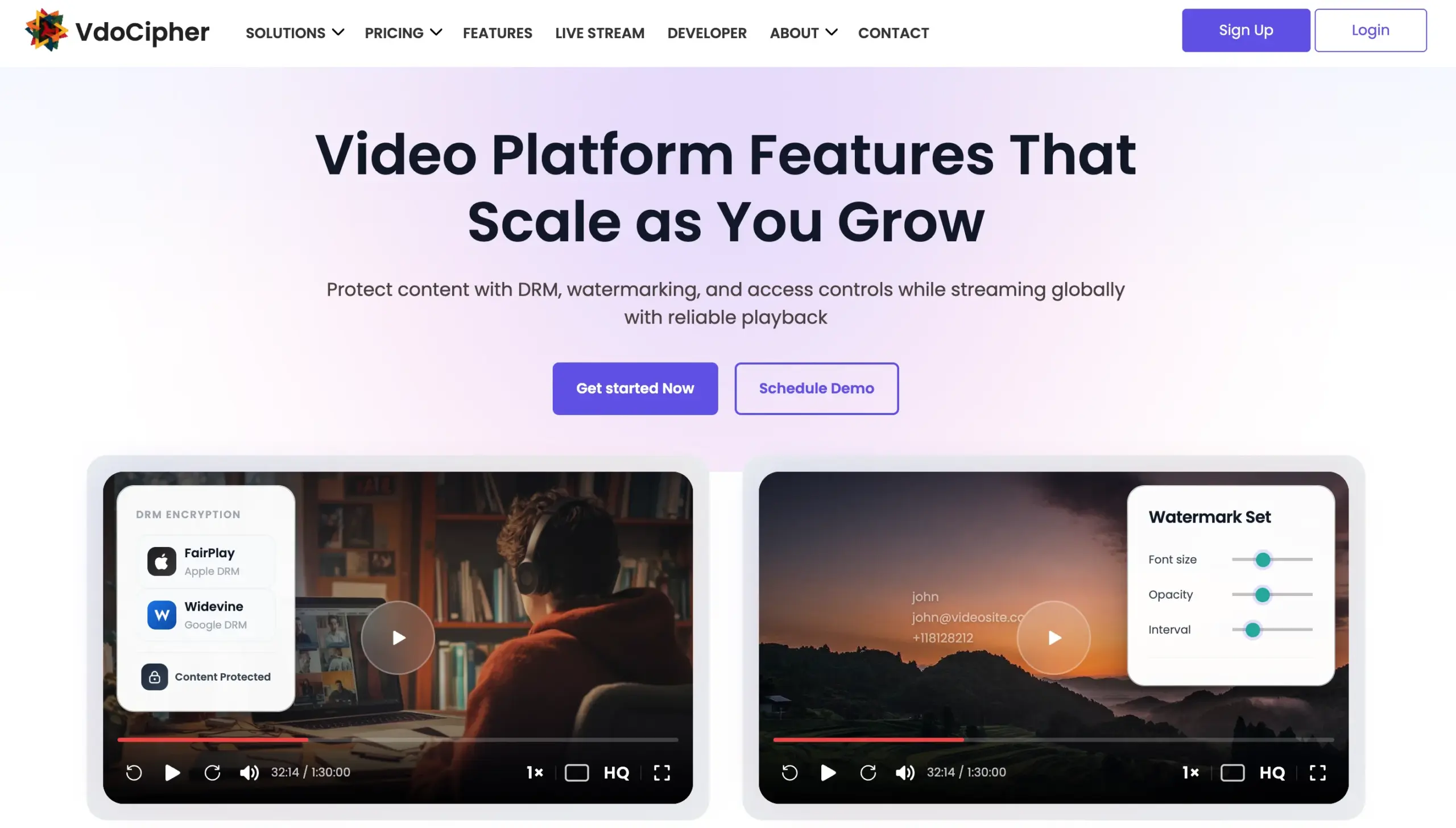
7. VdoCipher
VdoCipher is DRM-secured video hosting for creators whose video is the product and piracy is the threat. It is a security tool first and a player second.
What you can do with it
- Stop a paying student from downloading or screen-recording your course and sharing it publicly
- Identify exactly who leaked a video using the moving watermark tied to their user ID
- Block a country or region from accessing a video with one geo-restriction setting
- Deliver a 4K course video globally without spinning up your own CDN
Why it stands out
- The only option reviewed here where a viewer genuinely cannot copy the video file
- Moving watermark means if a leak appears, you trace it to a specific subscriber
Where it falls short
- Usage-based pricing climbs fast with bandwidth and storage
- Overkill for free or non-sensitive content
Best for
Course sellers and media businesses fighting video piracy.
Pricing
Free plan with limits. Paid plans start around $129 per year, then scale with bandwidth and storage. See VdoCipher pricing.
8. WpStream
WpStream handles the job none of the others do: live streaming. It runs live events, video on demand, and pay-per-view from your own WordPress site.
What you can do with it:
- Sell tickets to a live event directly through WooCommerce and stream it on your own domain
- Offer a paid replay of the recording to people who missed the live broadcast
- Go live from OBS, Riverside, or any RTMP-compatible tool without switching platforms
- Keep 100% of the revenue instead of paying a cut to YouTube or Vimeo
Why it stands out
- Live streaming plus pay-per-view in one plugin, with no third party owning the viewer relationship
- WooCommerce handles the payment so the purchase flow stays on your site
Where it falls short
- Built for live and VOD, not for embedding marketing clips
- Paid plans bill by bandwidth and storage
Best for
Creators and businesses running live events or paid live content.
Pricing
Free trial and a free basic tier on your own server. Paid plans start at $19 per month, billed monthly. See WpStream pricing.
Other WordPress Video Players Worth Knowing
The eight above cover the real choices, but a longer list shows up on most articles. Each gets one line below.
- ARVE (Advanced Responsive Video Embedder): Lightweight responsive embeds with video SEO schema, for bloggers who only need clean embeds.
- Videopack: Self-hosted video with auto-generated thumbnails, for simple self-hosting.
- Video.js HTML5 Player: An open-source player for developers who want to build their own setup.
- HTML5 Video Player: Basic self-hosted playback with a shortcode.
- Easy Video Player: A no-frills self-hosted player for a single MP4.
- CP Media Player: Audio and video playback with playlists.
- Video Player Block: A minimal Gutenberg block player.
- Super Video Player: Simple embeds with a few styling options.
- Video Gallery and Player: A lighter gallery alternative.
- Bradmax Player: Plays a range of formats including HLS.
- Video Player for YouTube: For YouTube-only embeds.
- YouTube Embed: Lightweight YouTube embedding with caching.
- ELEX YouTube Video Gallery: YouTube galleries in grid or carousel.
- WP Video Lightbox: Opens videos in a popup, for thumbnail-to-video layouts.
- Video Player for WPBakery: A player element for WPBakery builder users.
- Ultimate Video Player: An envato-style multi-source player.
- MAS Videos: A video marketplace and eCommerce plugin.
Which WordPress Video Player Is Right for You
The right pick depends on what you’re trying to accomplish with video.
Best for course creators
Presto Player can be a good choice for most course sites. It handles private video, branding, chapters, and LMS integrations without much setup.
FluentPlayer is a fresh choice as it provides most of the features a course video needs, along with a seamless integration with FluentCommunity to manage courses along with the community.
If you’re selling premium training and piracy is a concern, VdoCipher adds DRM protection and secure delivery.
Best for marketers and conversion
If lead generation is the goal, look at GoDAM or FluentPlayer.
GoDAM already supports forms, CTAs, polls, and other interactive elements inside the video.
FluentPlayer takes a similar approach but connects directly with Fluent Forms and FluentCRM.
Best for bloggers and small sites
Many sites don’t need a dedicated video player.
If you occasionally publish videos, the default WordPress Video block or ARVE is often enough. If YouTube embeds are slowing down your pages, SmartVideo is a straightforward fix.
Best for paid or gated content
Presto Player works well for private lessons and member-only content.
If protecting premium video matters more than convenience, VdoCipher is the stronger option.
Best for live streaming
WpStream handles live broadcasts, pay-per-view events, and video-on-demand from your own WordPress site. If live video is central to your business, start there.
Best for agencies and client sites
FV Player for technical control and reusable setups.
The Bottom Line
Stop shopping for the player with the longest feature list. Name the job your video does, courses, conversion, speed, security, or live. Then pick the one tool built for the job.
If turning views into leads is the goal, and you use Fluent products, download FluentPlayer for free and test it yourself.

This is Sumit. He’s a physics major who’s trying to understand both the physical as well as the WordPress worlds. Whenever he’s not busy, plays fifa or spends time with his family.
Leave a Reply